
Table of Contents
Can You Play Paisa X Go on PC?
Yes. Paisa X Go is built for Android, so a Windows PC needs an Android emulator to run the APK. An emulator creates a virtual Android phone inside Windows. Your account, balance and history stay the same because you log in with the same mobile number.
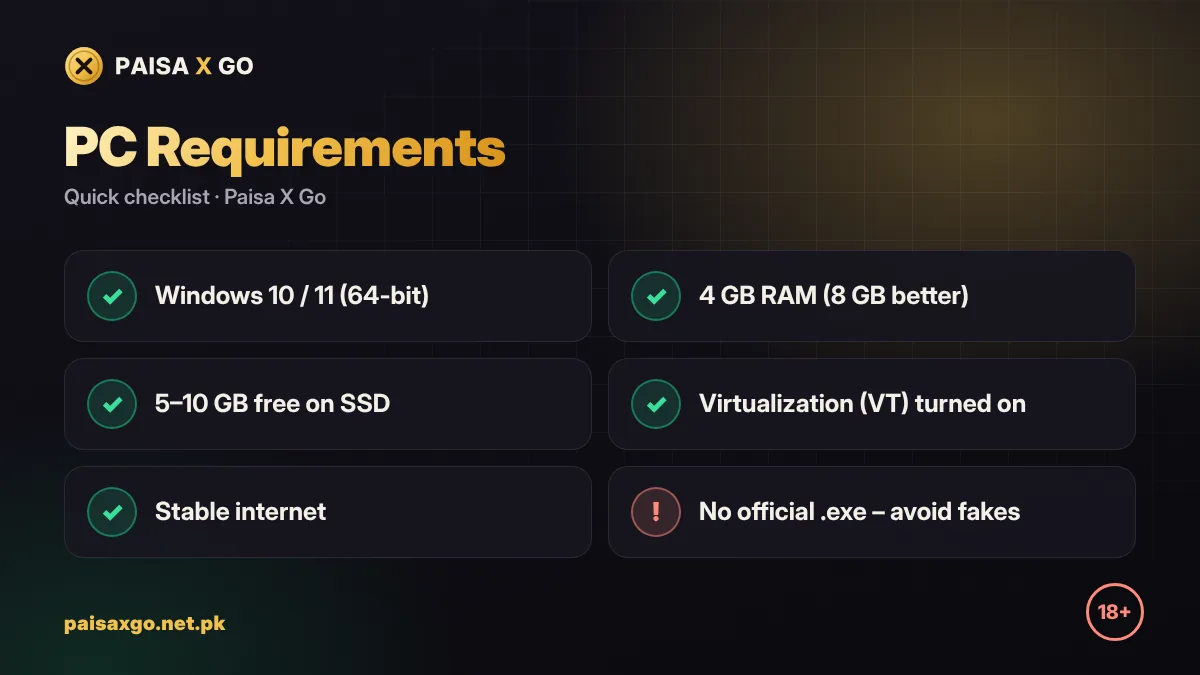
PC Requirements
| Part | Minimum | Recommended |
|---|---|---|
| Windows | Windows 7 / 10 | Windows 10 / 11 (64-bit) |
| RAM | 4 GB | 8 GB |
| Storage | 5 GB free (SSD better) | 10 GB free on SSD |
| Processor | Intel or AMD dual-core | Quad-core with virtualization (VT) on |
| Internet | Stable broadband | Wi-Fi or cable, low ping |
How to Install Paisa X Go on PC with BlueStacks
- Download BlueStacks from its official website and install it.
- Open BlueStacks and finish the first-time setup.
- On your PC browser, open paisaxgo.net.pk and download the Paisa X Go APK.
- Drag the APK file into the BlueStacks window, or click Install APK in the side toolbar and choose the file.
- Wait for the install to finish; the Paisa X Go icon appears on the BlueStacks home screen.
- Open it and log in with your mobile number and password.
- Use the mouse to tap and the keyboard to type, just like on a phone.

How to Install Paisa X Go with LDPlayer
- Install LDPlayer from its official website.
- Download the Paisa X Go APK on your PC.
- Drag the APK into LDPlayer or use the APK button on the right toolbar.
- Open Paisa X Go from the LDPlayer home screen.
- Log in or register a new account.
Use the Paisa X Go Web Version
If the official link offers a web version, you can skip the emulator and open it in Chrome or Edge on your laptop. Log in with the same details. The web version is lighter, but some games may run smoother in the app.
Fix Lag and Errors on PC
- Turn on Virtualization (VT-x / AMD-V) in your PC's BIOS — this gives the biggest speed boost.
- Give the emulator 4 GB RAM and 4 CPU cores in its settings if your PC allows.
- Update your graphics driver and Windows.
- Close Chrome tabs and other heavy apps while playing.
- If the app will not open, uninstall it inside the emulator and install the latest APK again.
Is It Safe to Play Paisa X Go on PC?
Using a well-known emulator from its official website is safe. Avoid "Paisa X Go PC.exe" files from unknown sites — the game does not have an official Windows installer. Keep the same safety rules as on your phone: strong password, no OTP sharing, and a fixed budget.
Frequently Asked Questions
Is there an official Paisa X Go app for Windows?
No. Paisa X Go is an Android app. On PC you run the APK inside an Android emulator such as BlueStacks or LDPlayer.
Which emulator is best for Paisa X Go?
BlueStacks and LDPlayer both work well. LDPlayer is lighter on older laptops; BlueStacks has more features.
Can I use the same account on PC and phone?
Yes. Log in with the same mobile number and password and your balance stays the same.
Why is Paisa X Go slow on my laptop?
Turn on virtualization in BIOS, give the emulator more RAM and CPU cores, and close other heavy programs.
Is a Paisa X Go PC .exe download safe?
No official .exe exists. Avoid such files and use an emulator with the official APK instead.